 INCISOR®
Lazy Loading Content in Incisor®.
Get the first playable moment on screen fast, then bring in everything else only when it's actually needed.
Loading tiers are downloadable content groups
Every asset belongs to a numbered loading tier. Incisor® publishes each tier as a separately loadable group, so your project doesn't have to download everything before gameplay begins.
A tier is either auto-loaded at startup or left for your code to request later. The tier number labels the group and sets the order auto-loaded tiers load in. Your loading strategy comes from which tiers auto-load, when you call loadTier(), and whether you prioritize a request.
Assign assets to tiers
Set the tier on an asset, or set it once on a folder and let everything inside inherit it.
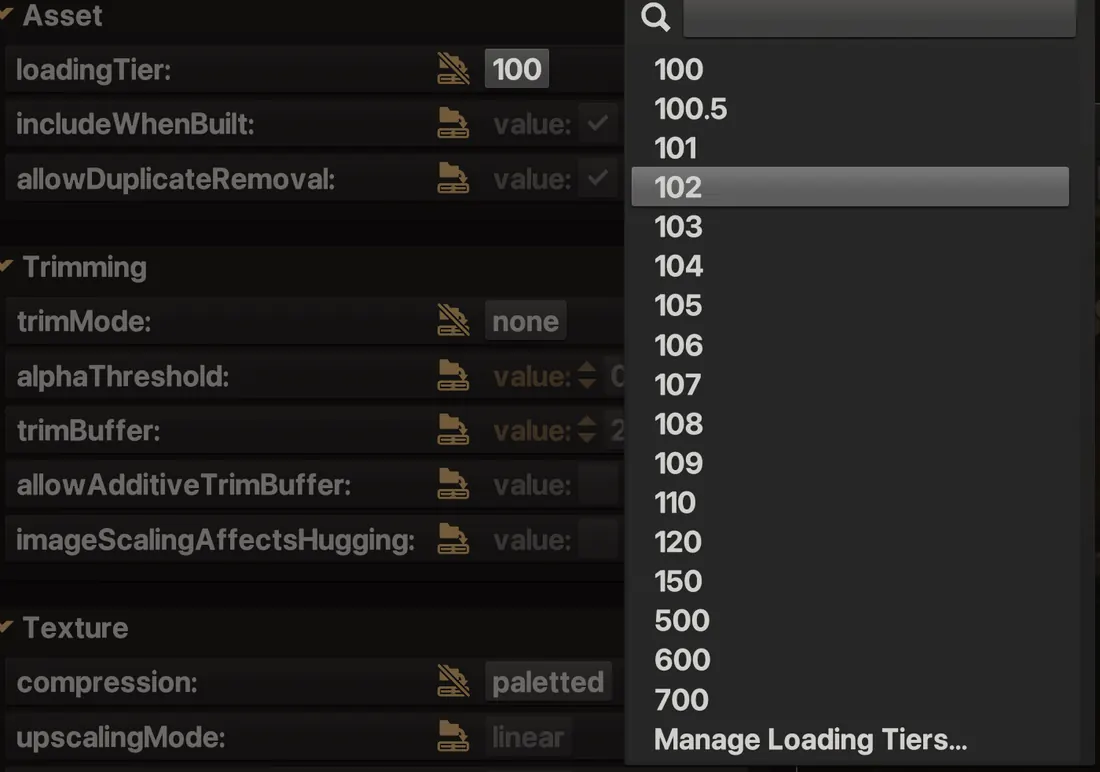
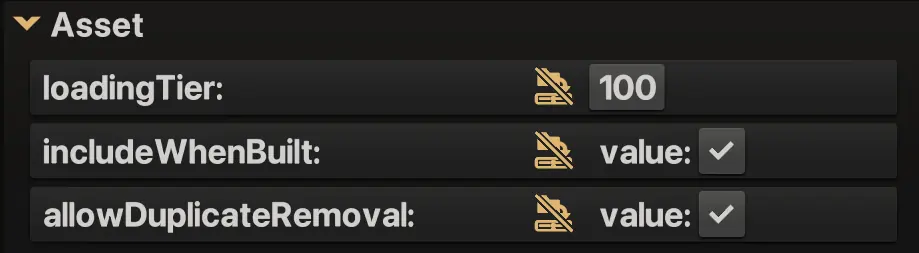
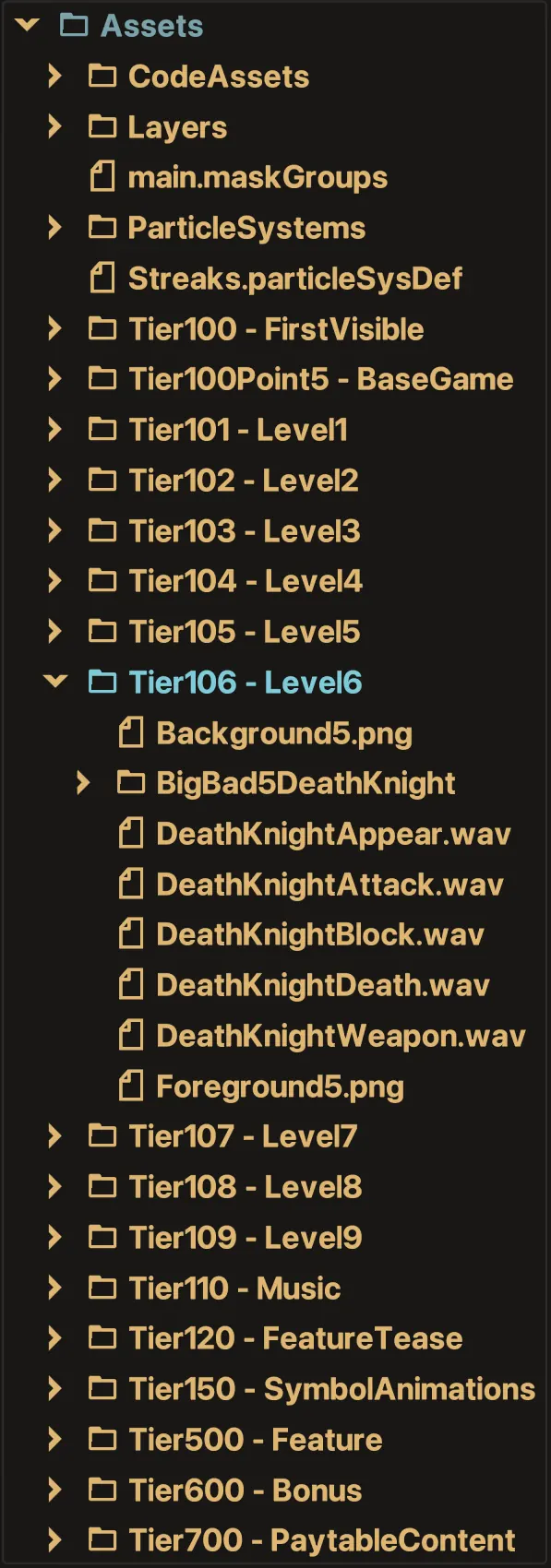
Use inheritance for whole content groups
Folder inheritance is the fastest way to keep a large project manageable. Put each feature, level or screen in its own folder, set the loading tier on the folder, and let the assets inside inherit it. Override only the exceptions.
Configure how each tier behaves
Tier definitions live in Project Settings → loadingTierDefinitions and control how each tier loads at startup and at runtime.
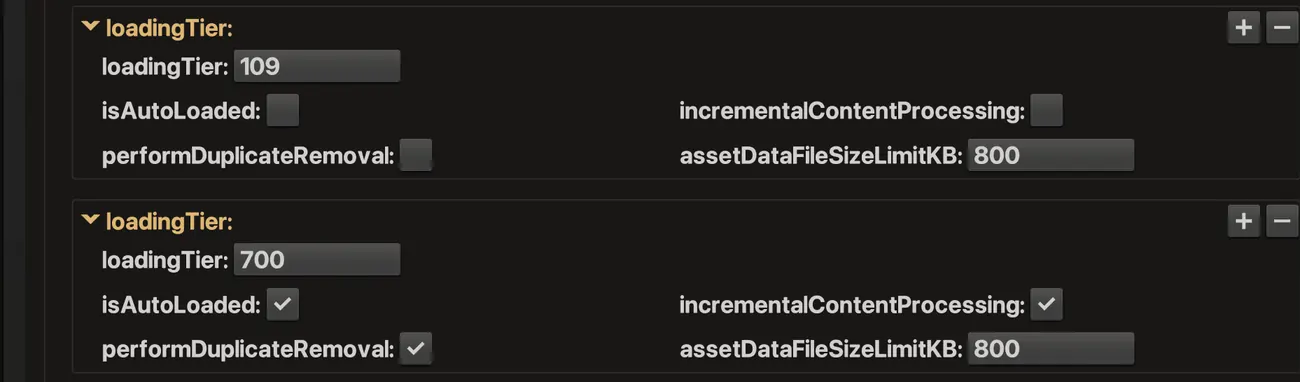
isAutoLoaded
Loads the tier automatically at startup. Auto-loaded tiers load one at a time in ascending numerical order, so give the tiers the player needs first the lowest numbers.
incrementalContentProcessing
Spreads asset processing across several frames. Turn it on for tiers that stream in while the player is already playing, so their arrival doesn't cause a hitch. Leave it off for tiers that load before the experience starts or behind a loading screen, so they finish as fast as possible. You can also switch it off while a tier is loading, if the player suddenly needs that tier right away.
assetDataFileSizeLimitKB
A soft limit that splits the tier's published asset data into smaller files. Very large files can cause a hitch when they arrive, so use a lower limit for tiers that stream in during play. Tiers that load behind a loading screen can use a higher one. A single oversized asset can still exceed the limit.
performDuplicateRemoval
Identical assets across eligible tiers are downloaded only once. Be careful with on-demand tiers: a tier can end up waiting on a duplicate held by a tier that isn't loaded yet.
prioritize = true
An example game. The first two tiers load behind the loading screen as fast as they can. After that, the rest stream in during play with incremental processing, so nothing hitches. When the player picks Level 3, the tier that's already loading (110) finishes first, then the prioritized request jumps ahead of everything still queued.
Load tiers from code
Incisor® gives you direct loading, async waiting, callbacks, and runtime status.
// Queue a tier behind anything already loading.
nc.loadTier(150);

// Pass true to send it to the front of the queue instead.
nc.loadTier(103, true);async openBonus() {
nc.loadTier(600, true);
await nc.awaitLoadedTiers(600);
this.showBonusScreen();
}nc.addTierLoadedCallback(
600,
this,
"showBonusScreen"
);
nc.loadTier(600, true);async openBonus() {
const tier = nc.projectConfiguration.loadingTierDefinitions[600];
if (!tier.isLoaded) {
this.showLoadingScreen(); // tier.loadingProgress (0 to 1) can drive its progress bar
tier.incrementalContentProcessing = false; // it's urgent now, so process it all at once
if (!tier.isLoading) nc.loadTier(600, true); // a tier can only be requested once
await nc.awaitLoadedTiers(600);
this.hideLoadingScreen();
}
this.showBonusScreen();
}Need everything a SceneObject requires?
nc.assessCumulativeLoadingTierRequirements(sceneObject) returns every tier that the object, its descendants, and their textures and geometries need. It's useful when a complex screen spans more than one tier.
const tiers = nc.assessCumulativeLoadingTierRequirements(nextScreen);

for (const t of tiers) {
    const def = nc.projectConfiguration.loadingTierDefinitions[t];
    if (!def.isLoaded && !def.isLoading) nc.loadTier(t);
}
await nc.awaitLoadedTiers(tiers);Test the loading experience, not just the final result
The Loading Tiers panel shows what's loaded, loading or still waiting, and lets you hold tiers back or slow them down to see how your project handles late content.
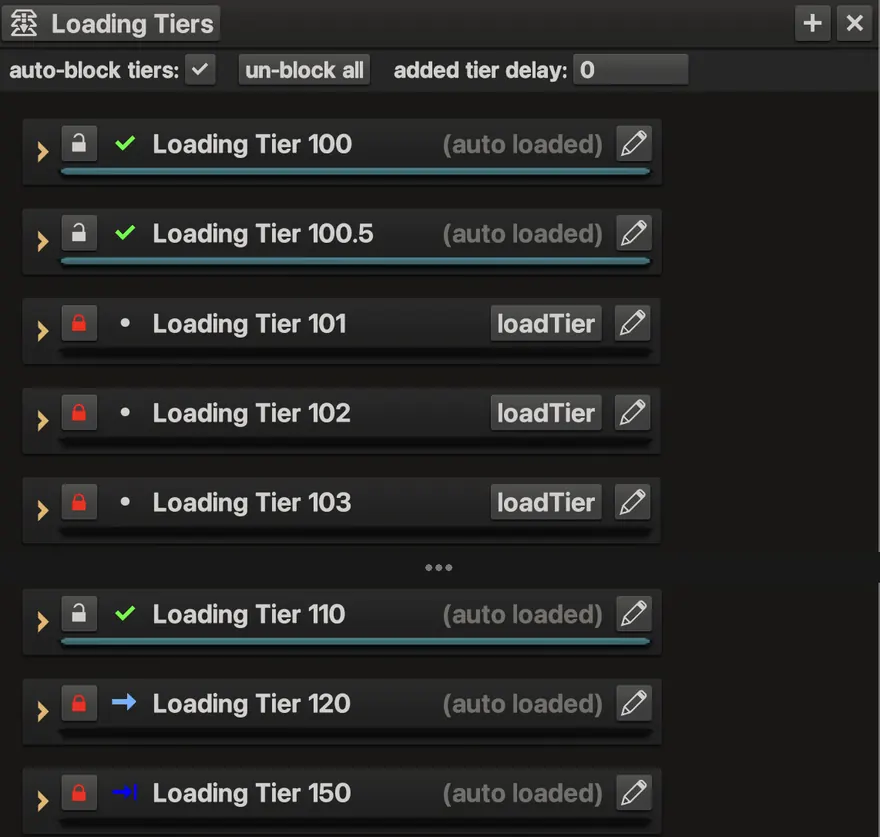
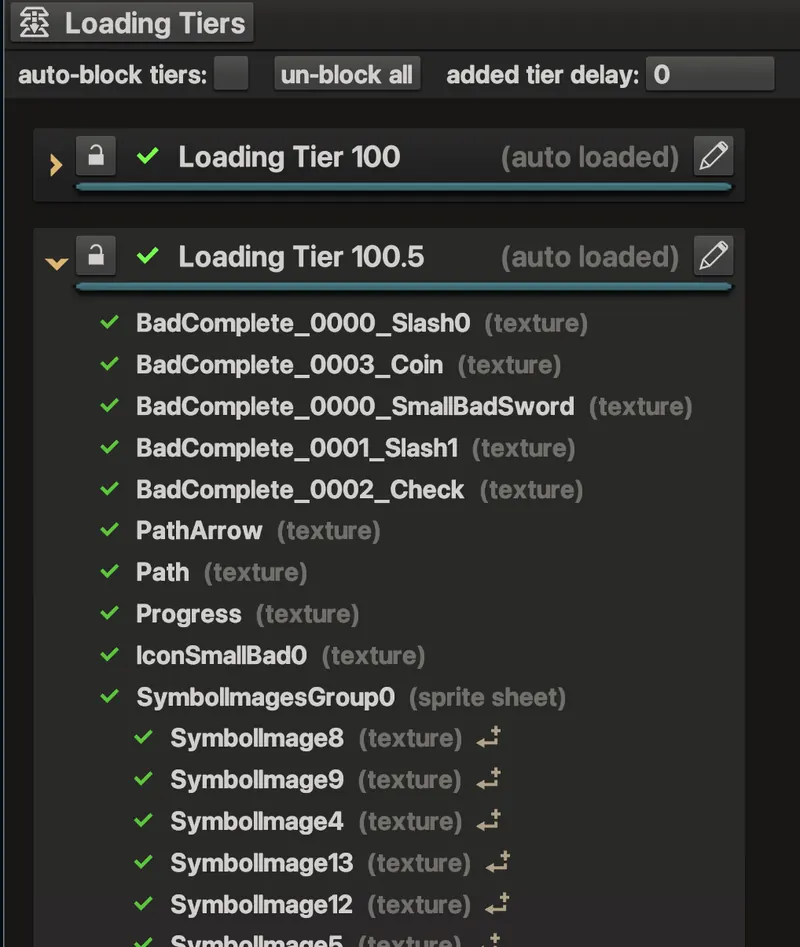
A useful test: add an artificial tier delay, move through the game quickly, and try every interaction that could need content that hasn't loaded yet. Anything that appears blank, pops in, or breaks is a spot your loading plan doesn't cover yet.
Verify the published package
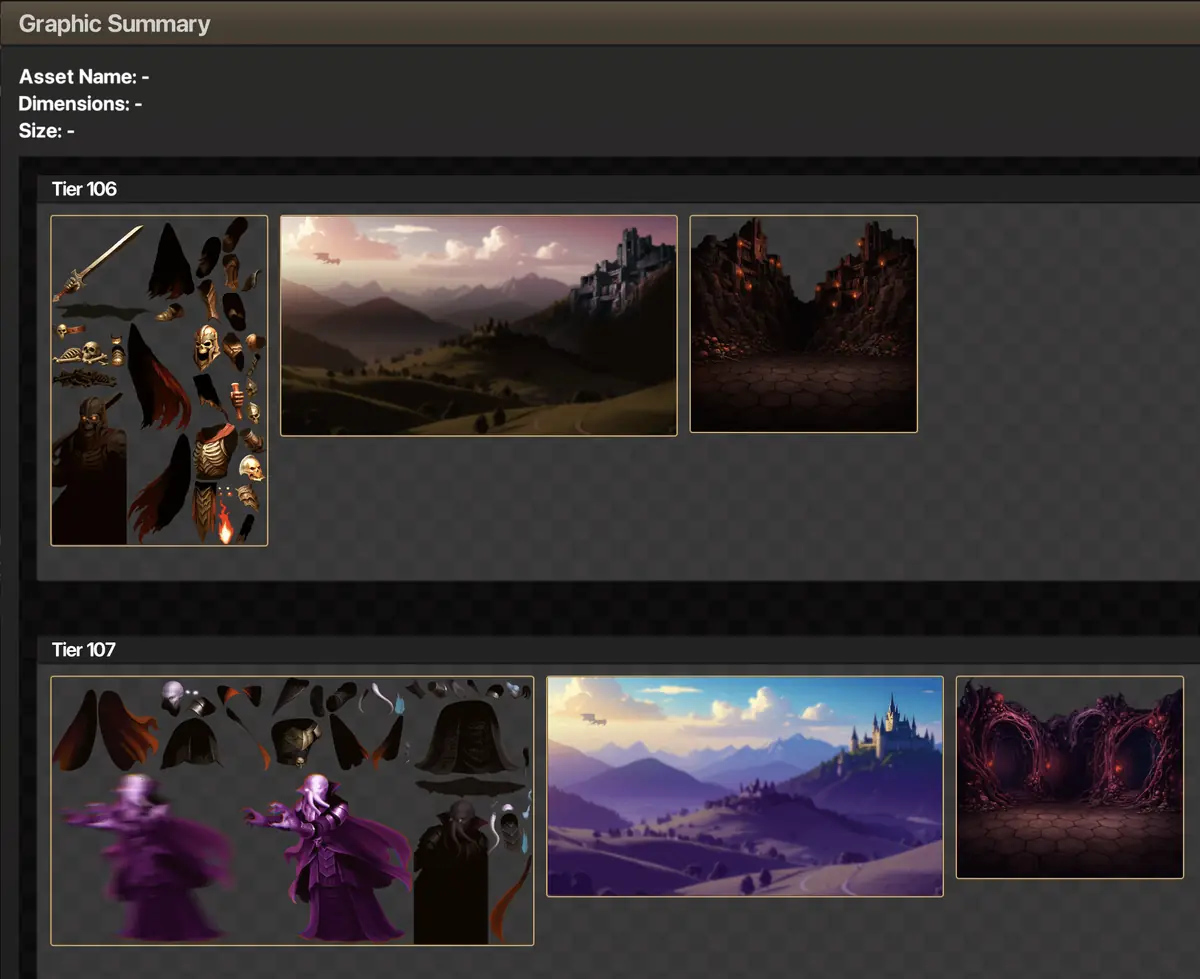
After you publish, Publishing Analysis → Graphic Summary shows your tier strategy in practice.
Patterns that work well
The best lazy loading is usually invisible to the player.
Auto-load only the shell, the first screen, and the assets the first interaction needs.
Start loading the next likely destination while the player is still busy with the current one.
Keep bonus games, help and paytable content, and rare features out of the startup download.
Keep each level's art and audio together, and start the next level's tier during the current level or the transition.
Request non-critical tiers normally so they wait at the back of the queue. Pass prioritize = true only for what the player needs now.
Use loading tiers for when content arrives, and asset configurations for which version suits the device.
Practical rules
- Load before the click. If a button opens a heavy screen, start loading while the player is heading toward that choice, not after they press it.
- Keep shared assets early. Common UI, fonts, symbols and audio used everywhere don't belong in a late feature tier.
- Group by experience. A tier should be a meaningful chunk of gameplay, not a random mix of file types.
- Watch download and processing. Even small files can cause work at runtime. Use incremental processing for any tier that arrives during active play.
- Test the failure case. Block tiers, add a delay, and check that the UI still behaves well while content is unavailable.